Overview
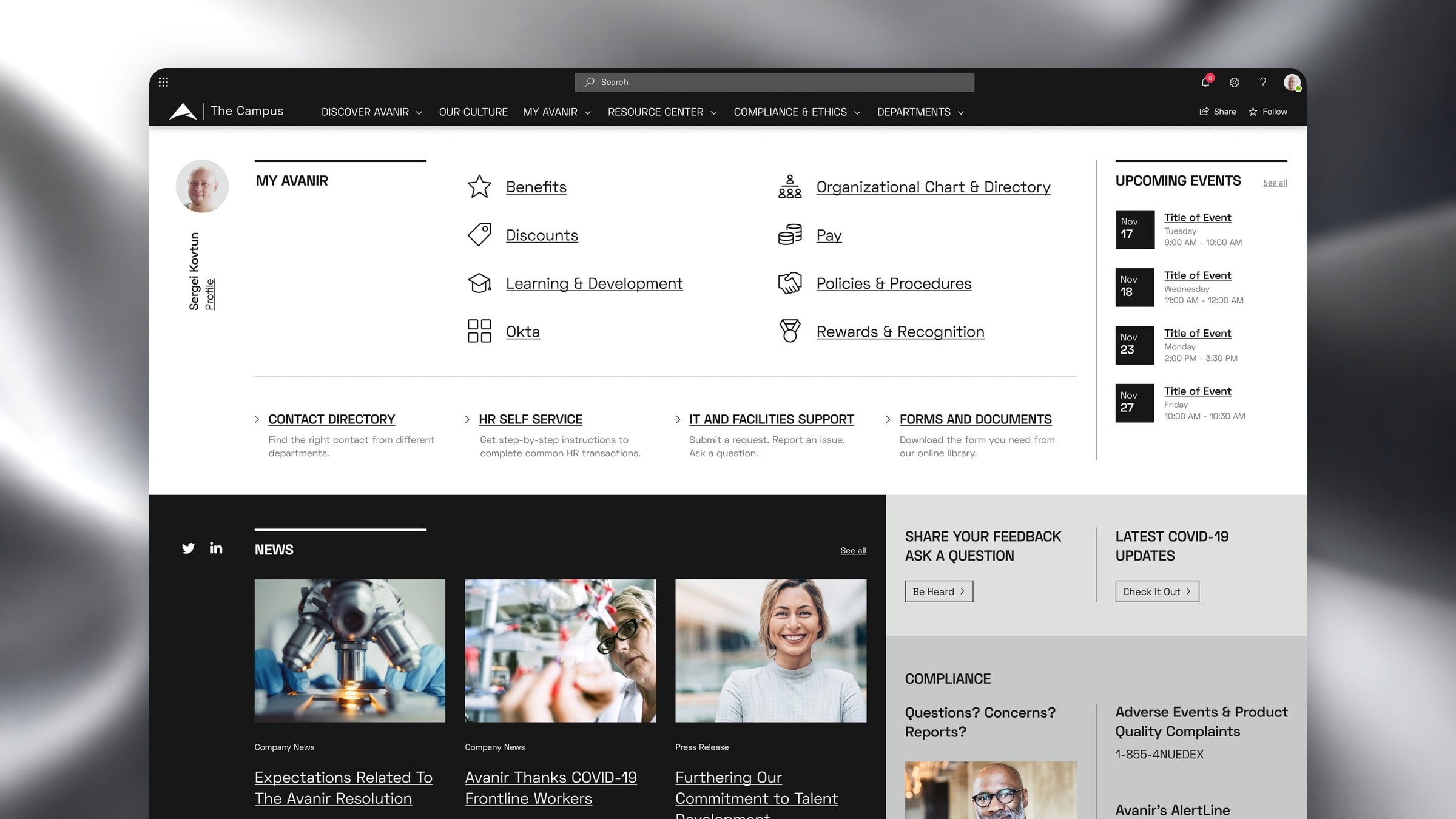
Avanir Pharmaceuticals ran its employee intranet on SharePoint, and over the years it had turned into a collection of disconnected tiles and pages. I redesigned it end to end with analytics, an employee survey, a new information architecture, focus groups and the brand agency's rules. The new portal, The Campus, put employee tasks first. Portal users grew 21% in the first month after launch.
Context
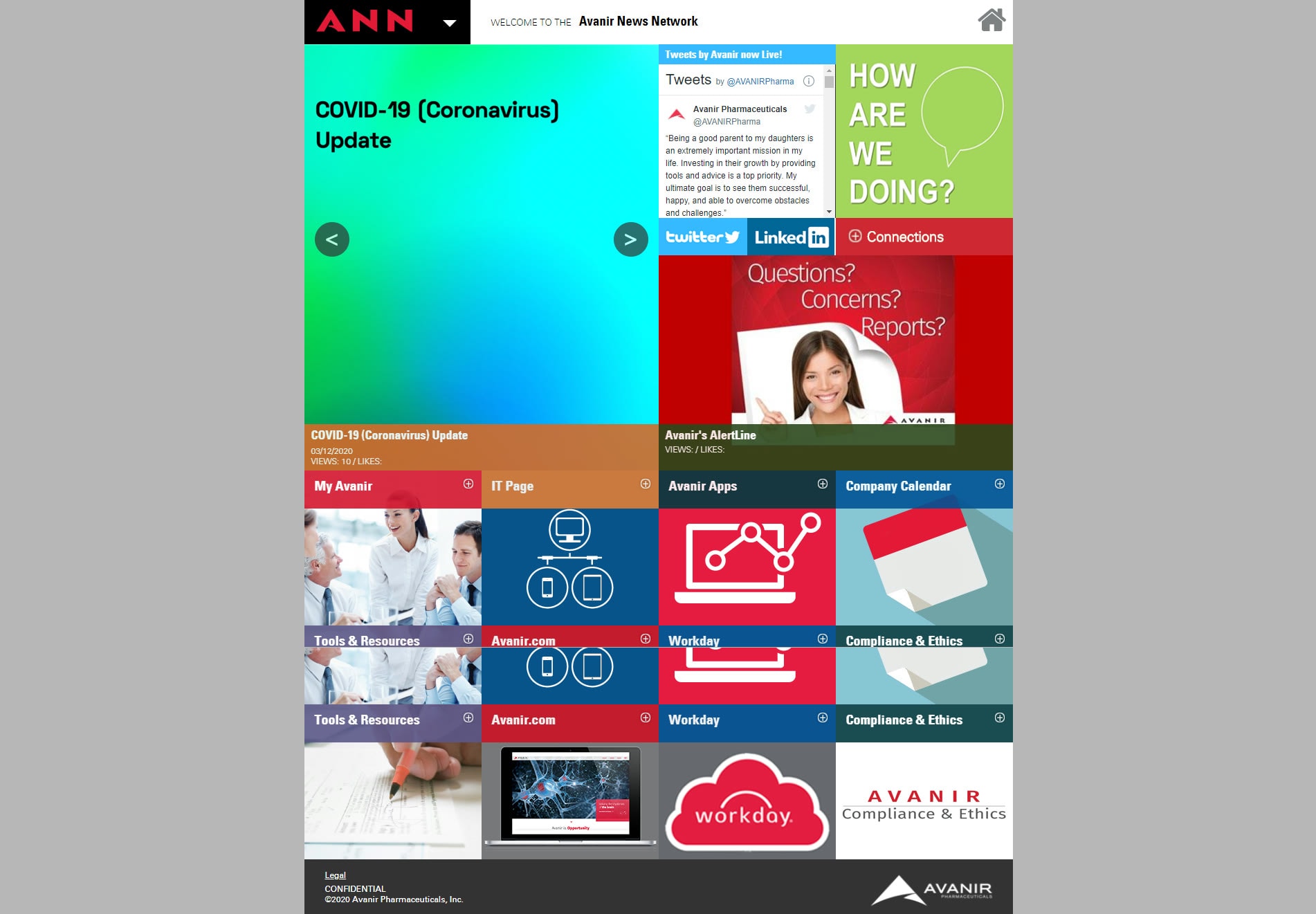
ANN opened on a grid of colored tiles: a COVID banner, a Twitter feed, Workday, the IT page, a company calendar. Each tile led somewhere different, with no shared structure behind it. Avanir wanted a portal people would open by choice, with news, documents, tools and colleagues in one place.
Problem
The portal had grown tile by tile. You could not tell what it was for, and anything useful sat two or more clicks deep.
Key issues included
- •Weak information architecture
- •Common tasks buried several clicks deep
- •No consistent visual or interaction model
Solution
I treated employee feedback and the agency's brand rules as answers to different questions. Employee research defined what needed to be prominent. The agency set the visual constraints. I used both to shape The Campus: one structure for the whole portal, with the tasks employees use most on the first screen.
Where it started
A portal built tile by tile.
Each tile on the old ANN homepage led to a different place. Behind them sat years of pages with no shared structure.
Research
Data before layouts.
Six steps before the first mockup: what employees did, what they asked for, and what the brand allowed.
1. Analytics and ANN evaluation
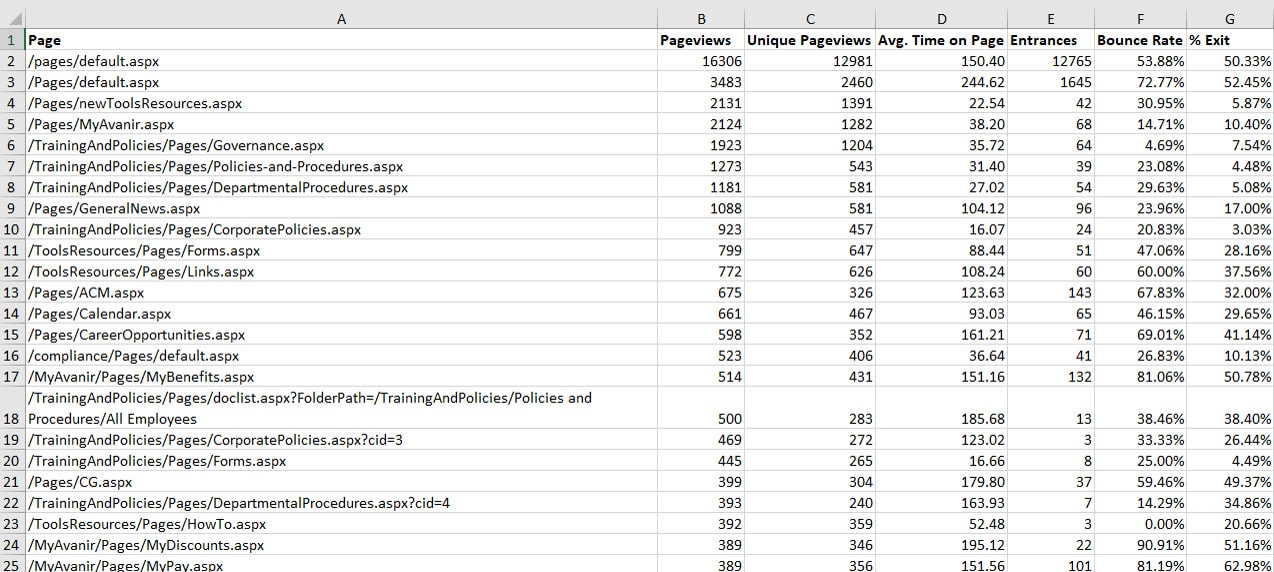
I ranked the most visited pages and rated each feature. Benefits, pay, all-company meetings and event photos drew steady traffic; some news pages had no views at all.
2. Survey
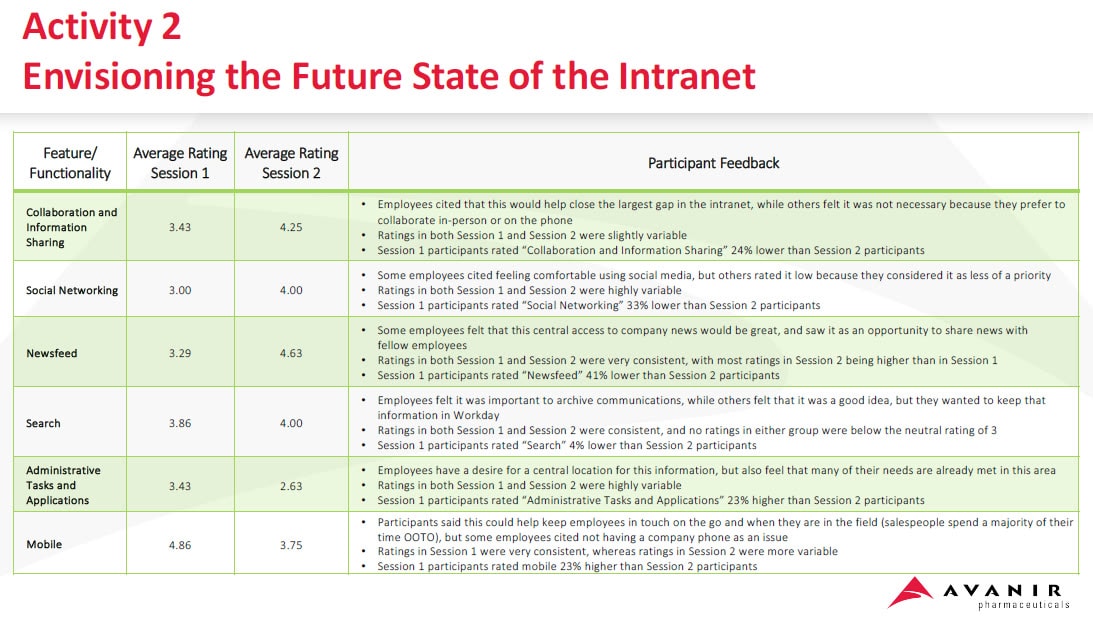
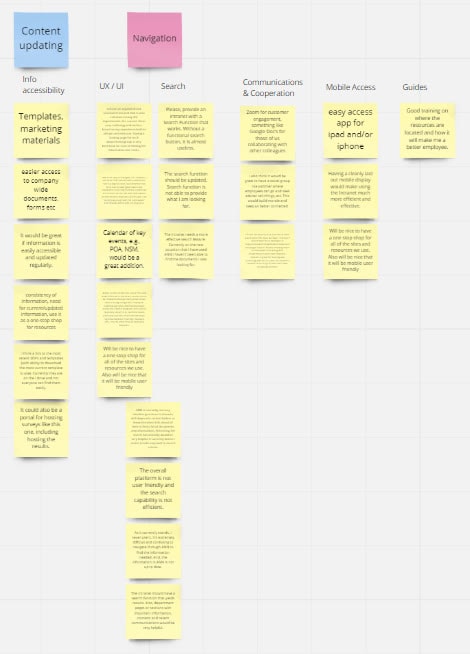
A survey grouped employee requests into content, navigation, search, templates and mobile access.
3. Information architecture
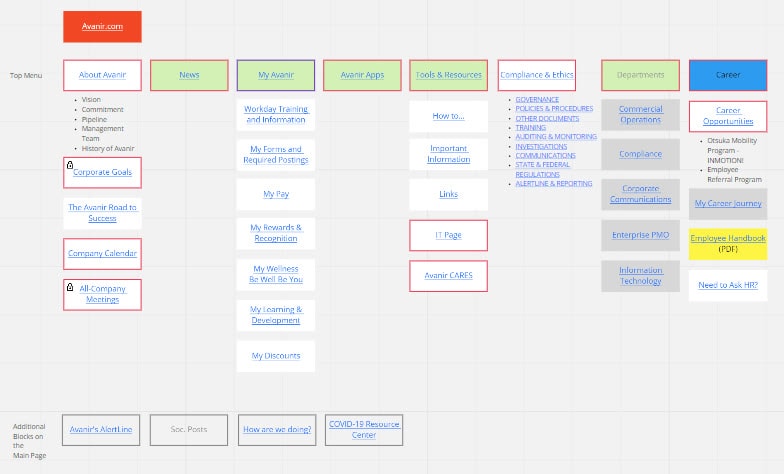
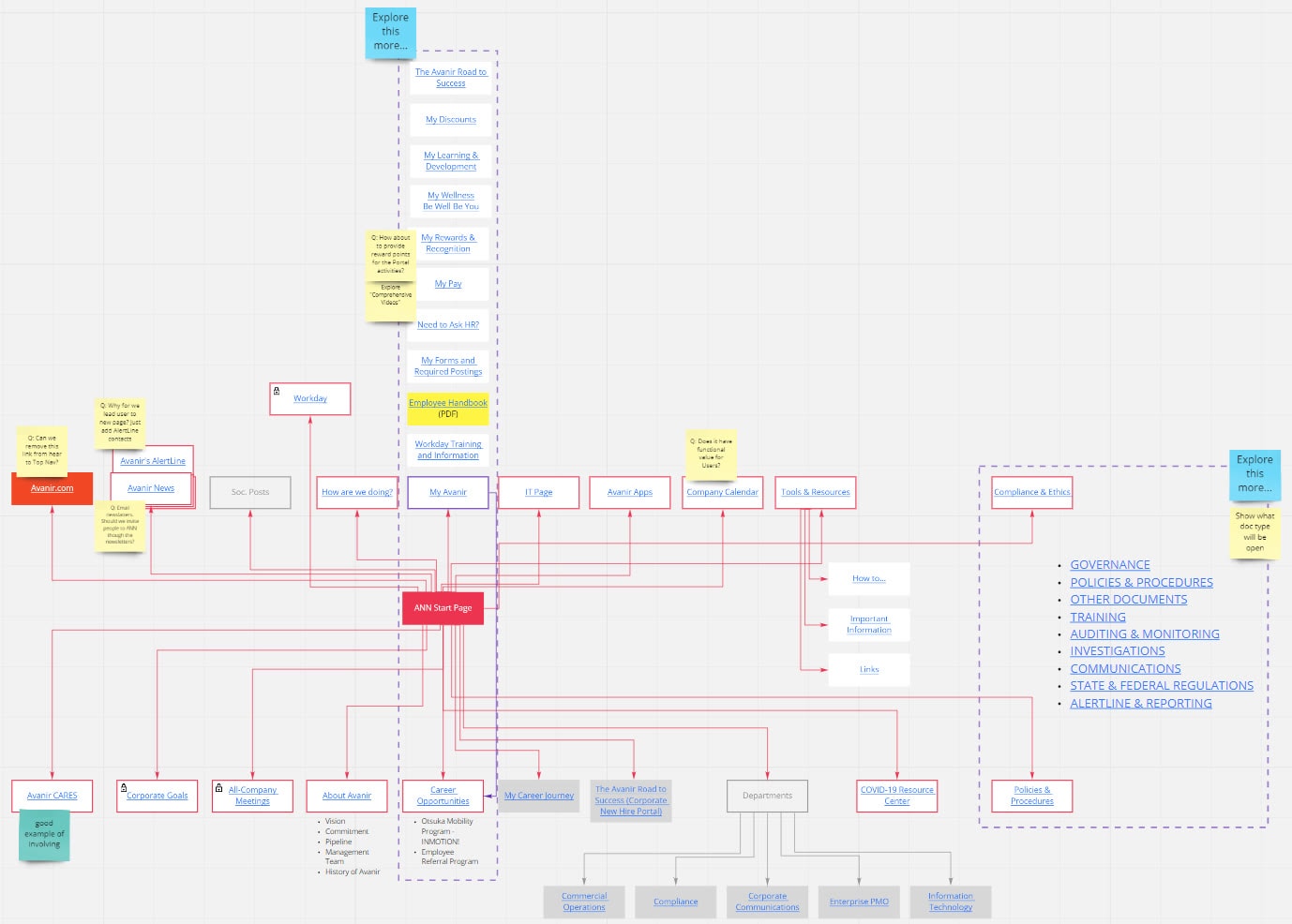
The first pass at the new structure: eight top-level menu items, the pages under each, and the blocks the homepage needed.
4. Requirements
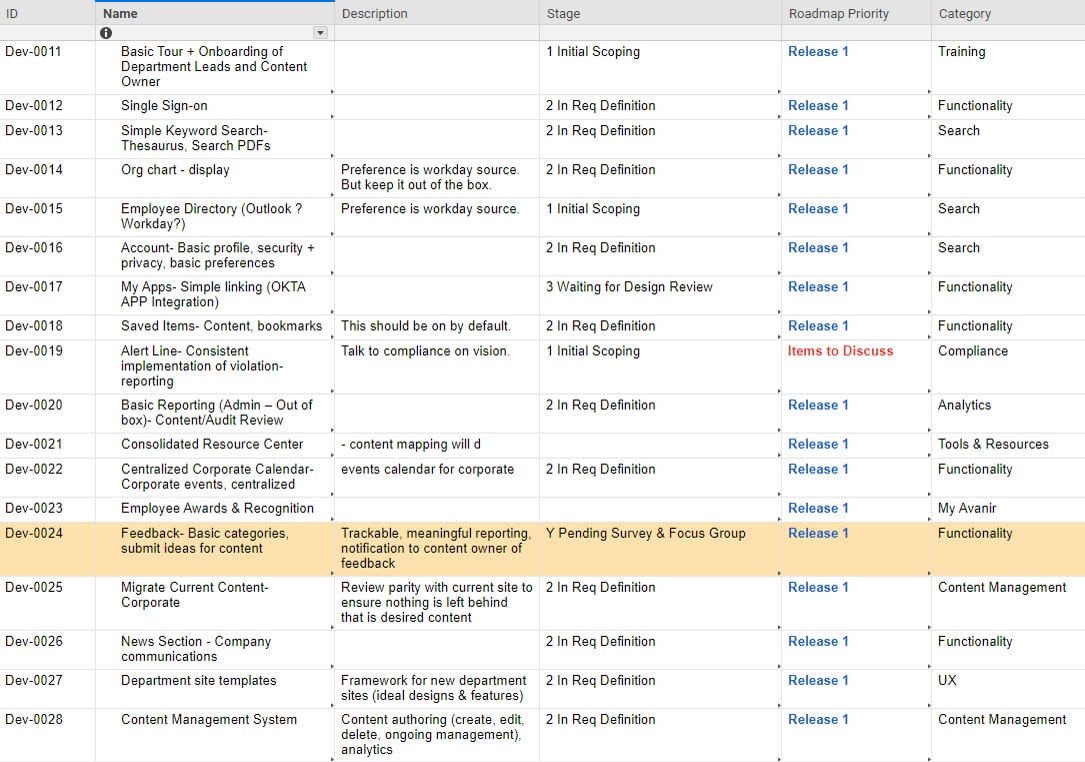
Each request became a ticket with a stage and a priority for release 1.
5. Brand research
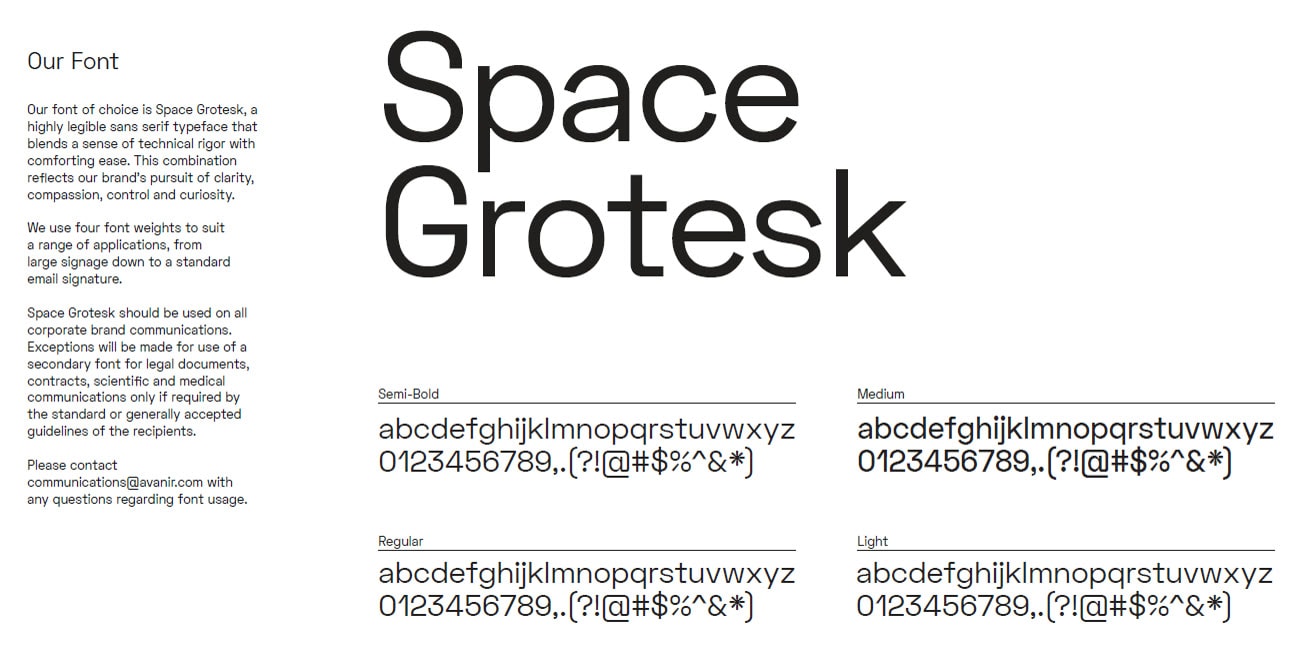
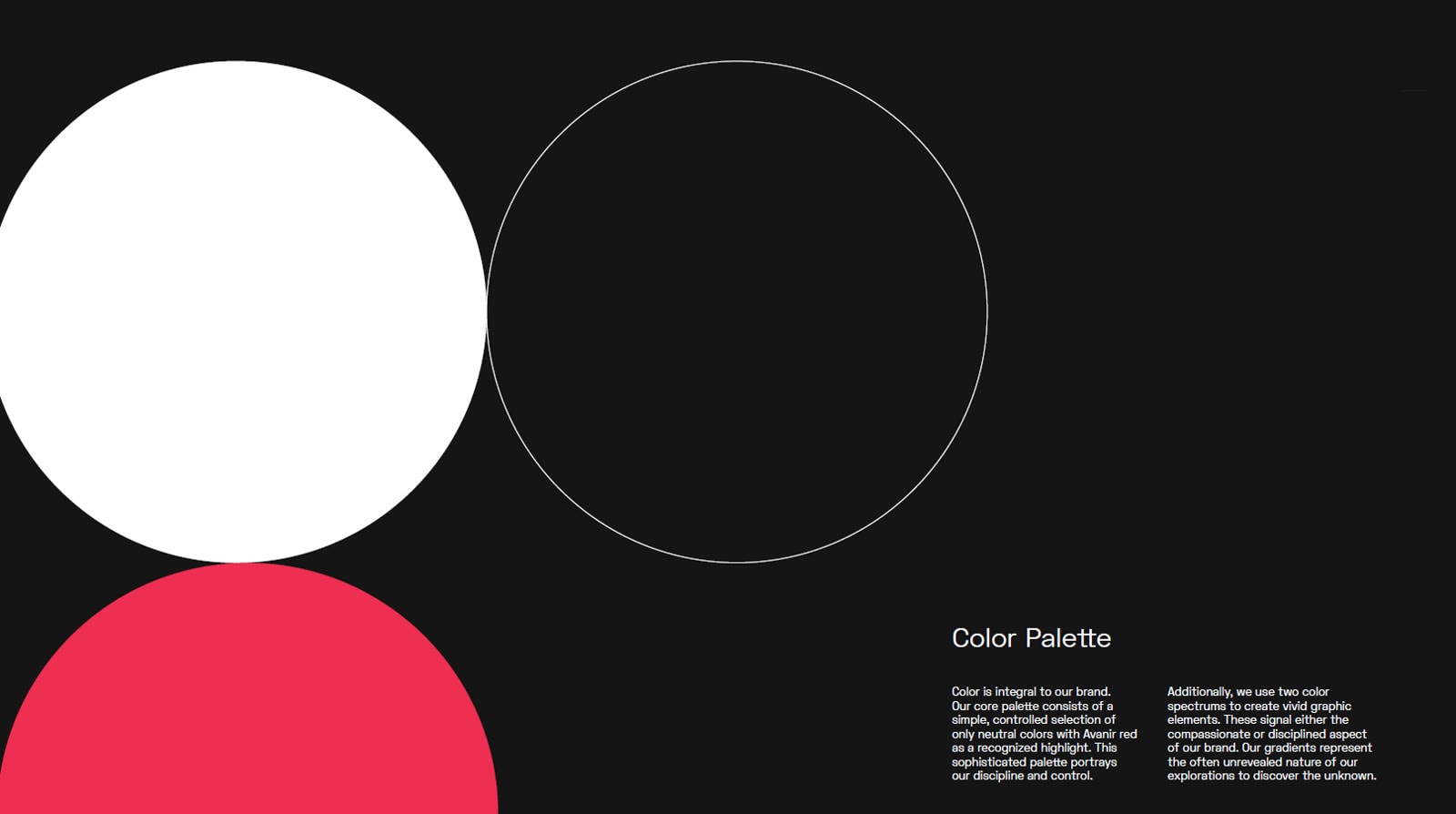
Avanir's typeface and palette, checked against Microsoft's SharePoint guidelines.
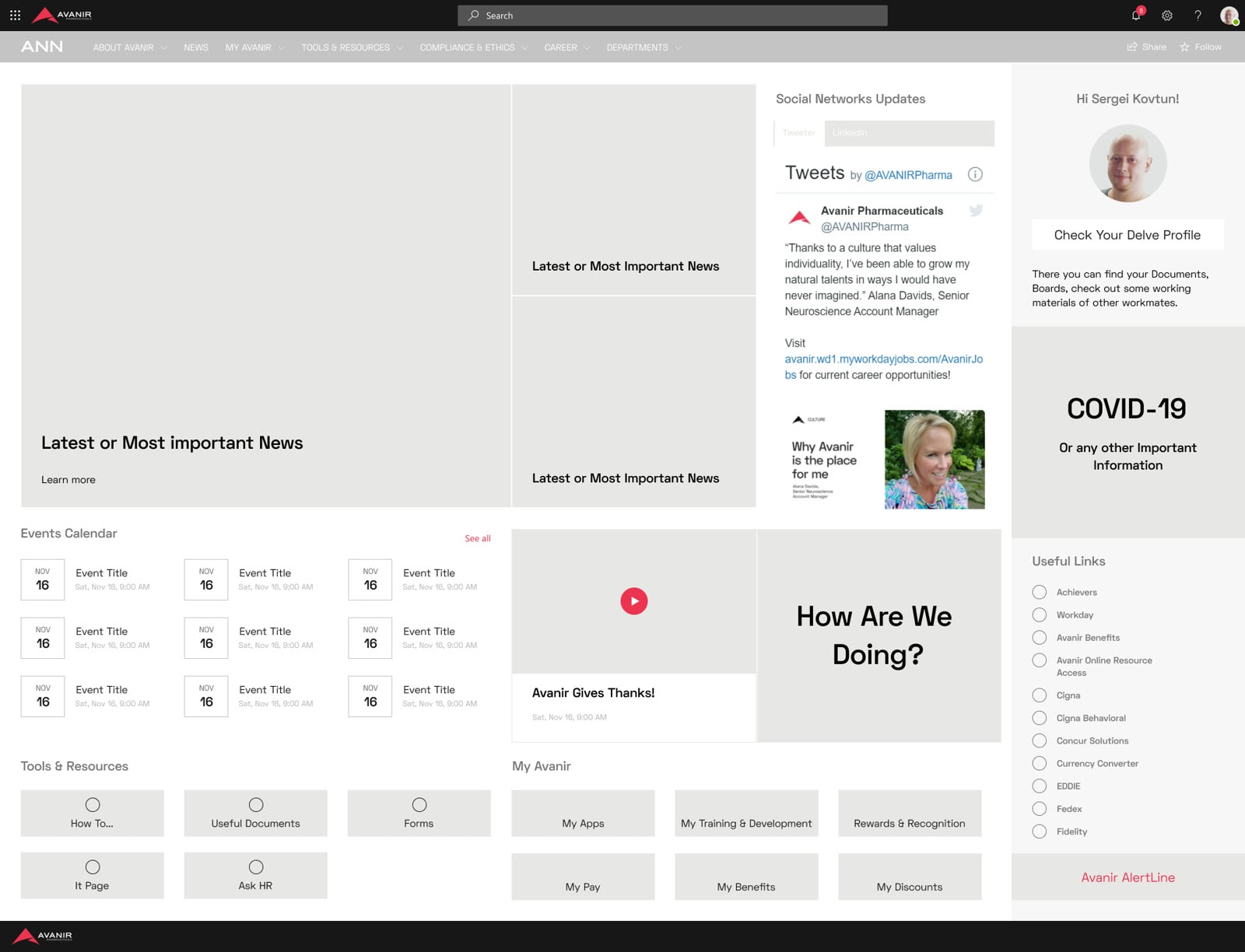
6. Wireframes and prototypes
I wireframed the homepage blocks before any visual design.
Information architecture
One structure for the whole portal.
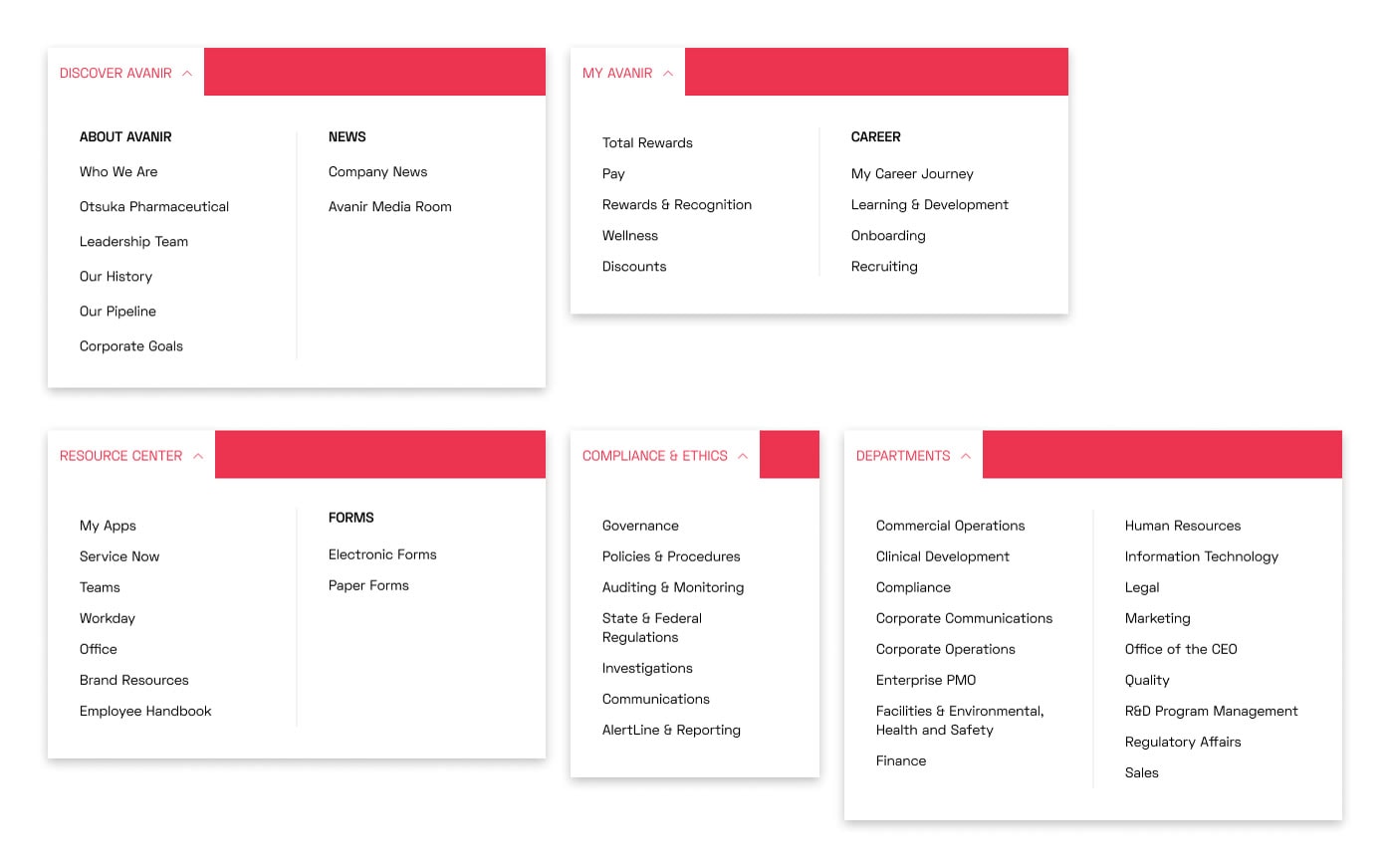
Five sections replaced the tile grid: Discover Avanir, My Avanir, Resource Center, Compliance & Ethics and Departments. Every page found a home in one of them.
Two directions
Same modules, different priorities.
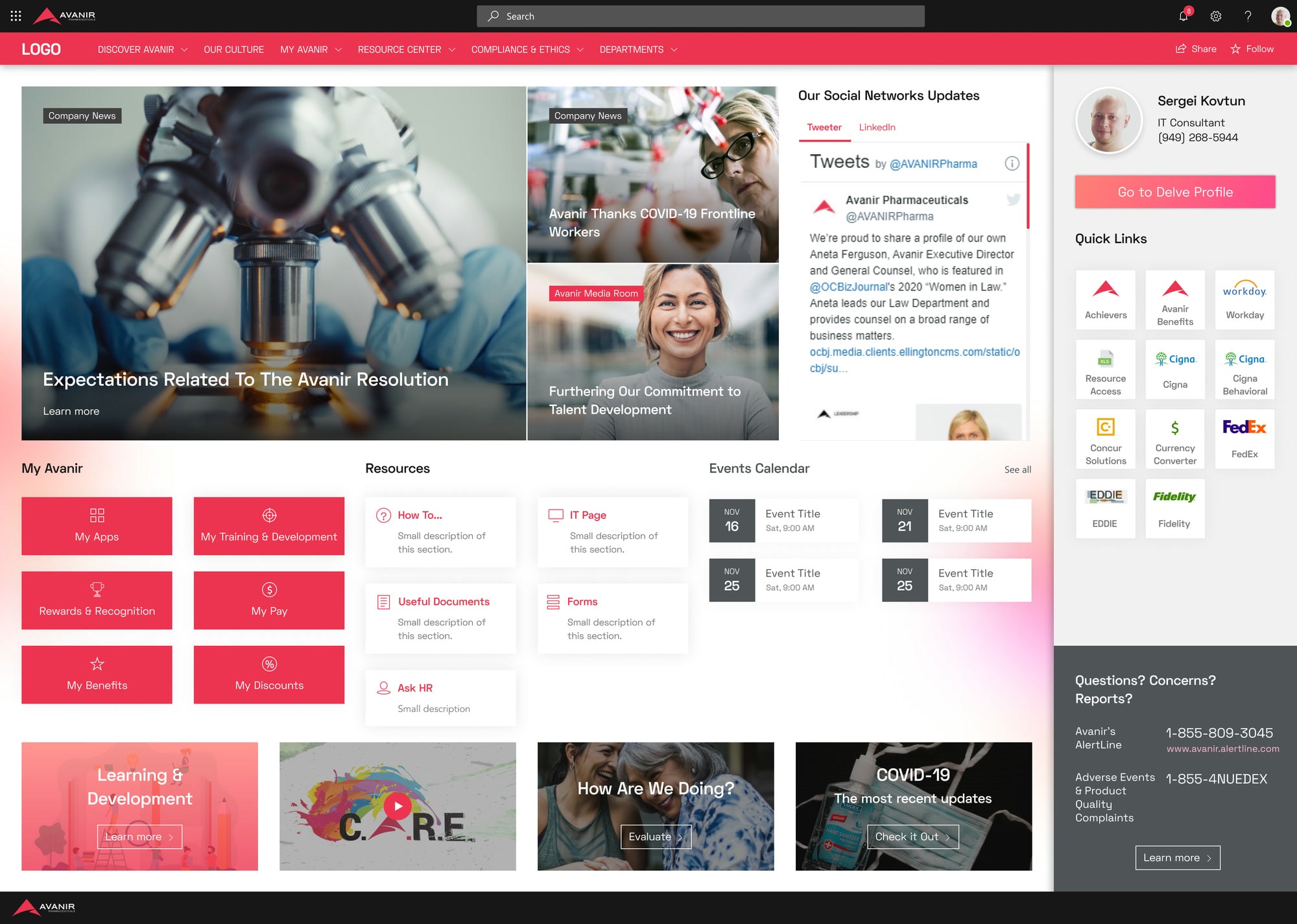
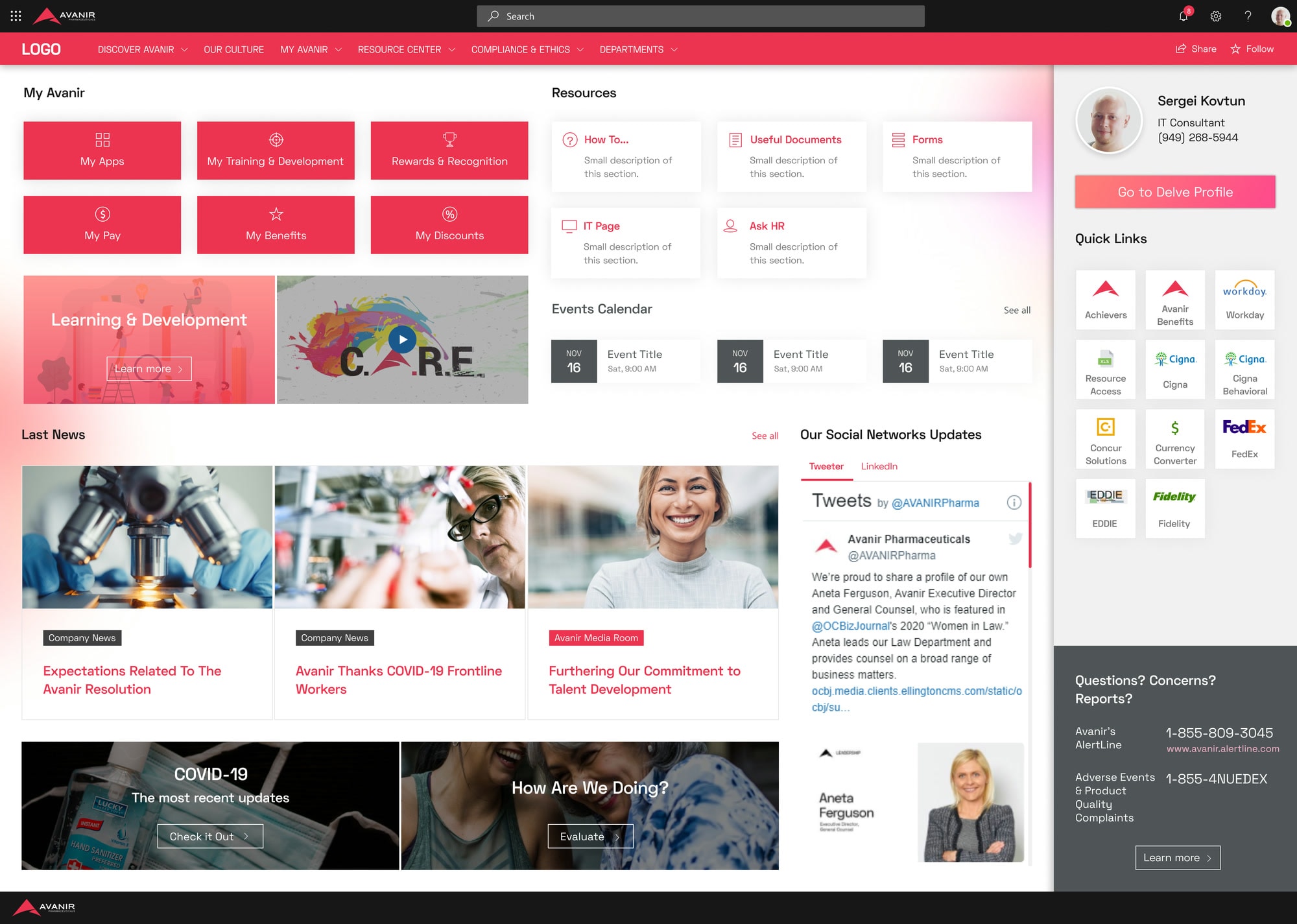
Both homepage directions used the same parts. The first led with news and corporate content. The second moved employee tools and resources to the top and shrank the news.
Focus groups
Employees picked tools over news.
Five focus group sessions voted 20 to 17 for the tools-first direction. Their comments pointed the same way: employees wanted faster access to tools and people, and less corporate content.
- 5Focus group sessions
- 20 : 17Votes for tools first over news first
- Visual
The design looked busy.
- Content
Social feeds and secondary banners could go.
- Layout
News could move down the page.
- People
Nobody understood the personal section, yet people kept asking to see more about their colleagues.
- Requests
An employee directory, an IT helpdesk number and a link to the ticketing system.
- Navigation
The navigation was clear.
Brand constraints
Where the agency disagreed.
ICF Next, Avanir's brand agency, reviewed the same mockups. They pushed back on the visual layer and found the hierarchy hard to read. Their rules became the constraints for every layout after this point.
- Red highlights
- Shadows and overlays
- Color tints on photos
- Black and white as the base
- Gradients only where the layout has room
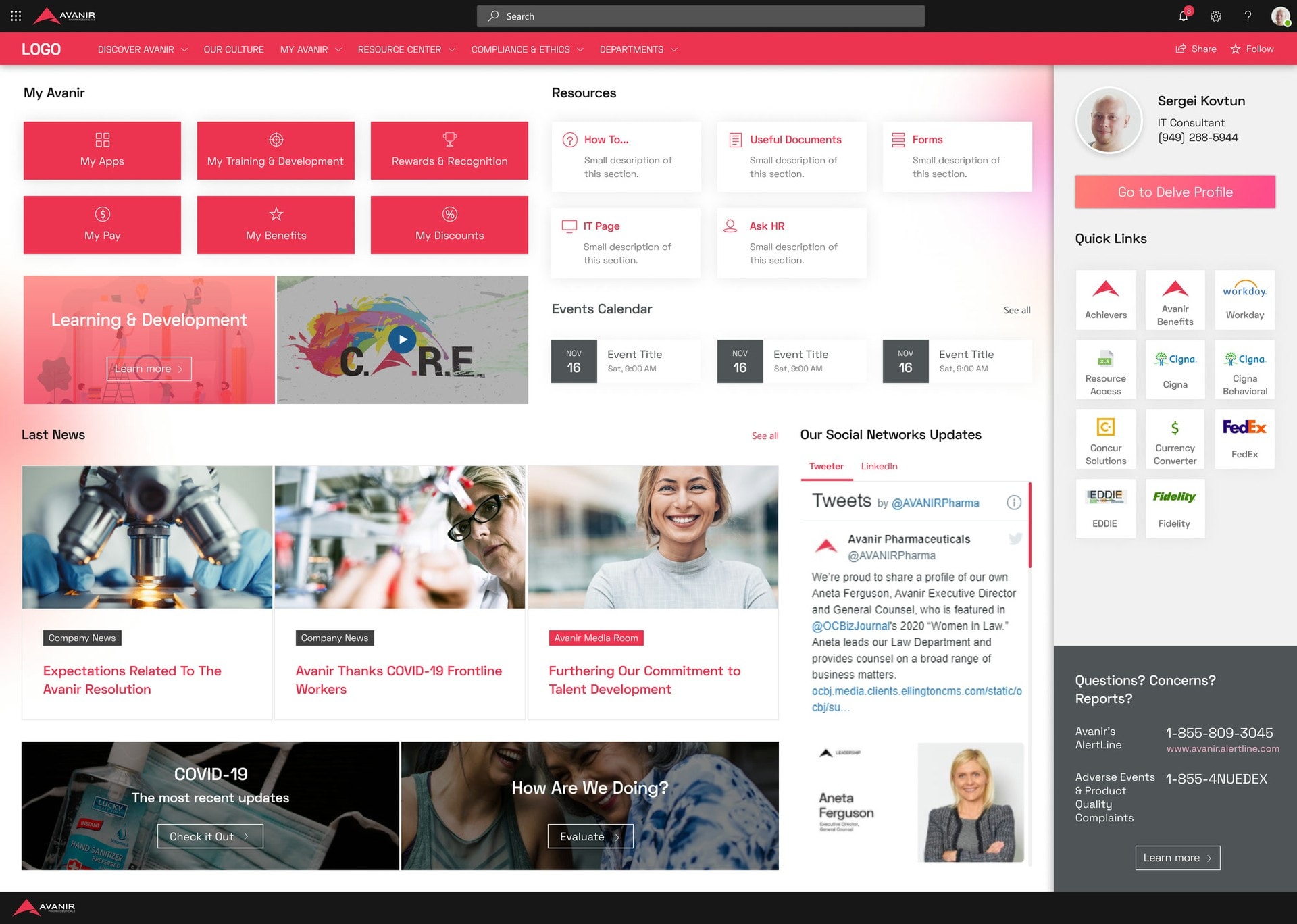
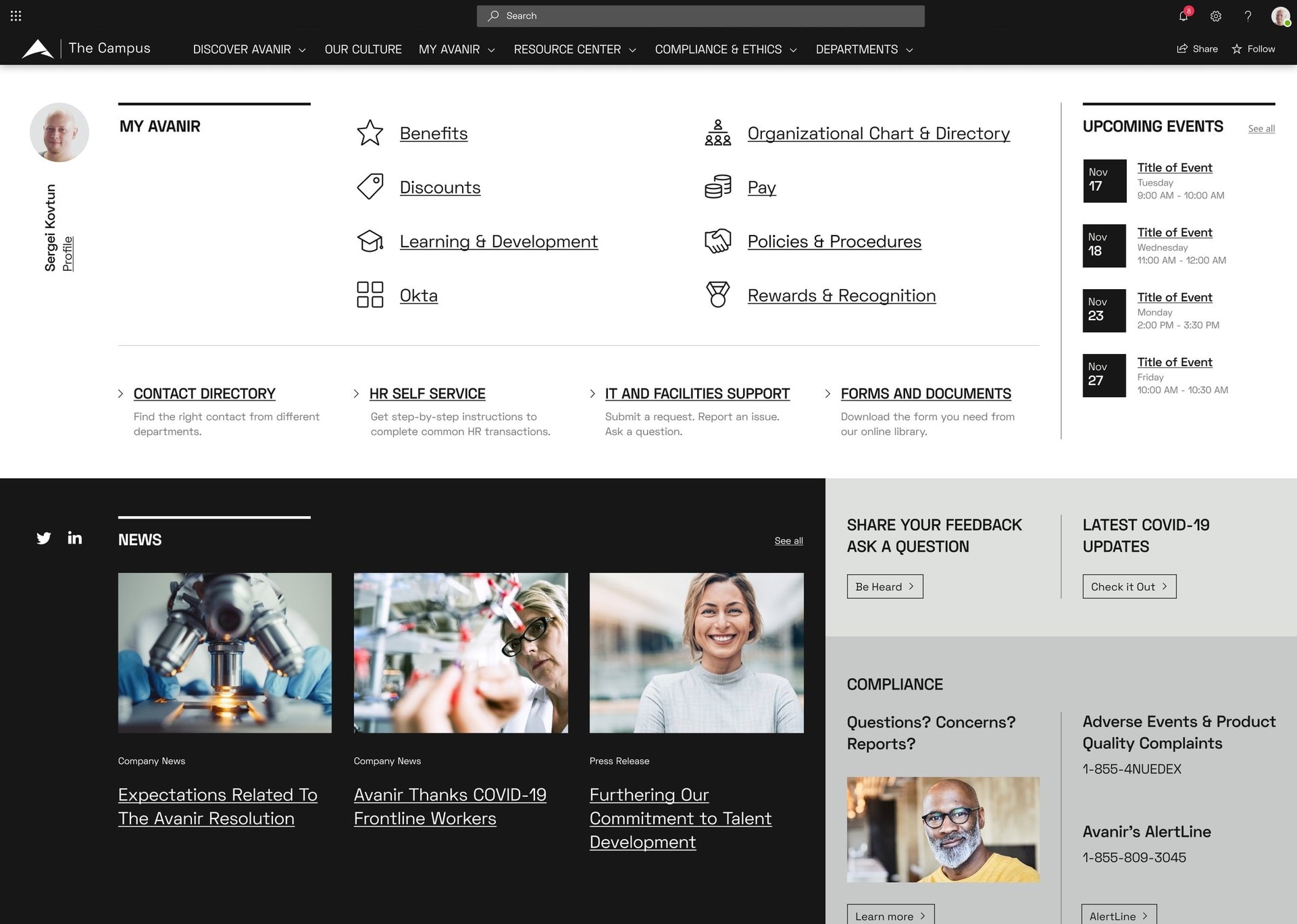
Drag to compare the first direction with the homepage that shipped under the agency's rules.
Bringing it together
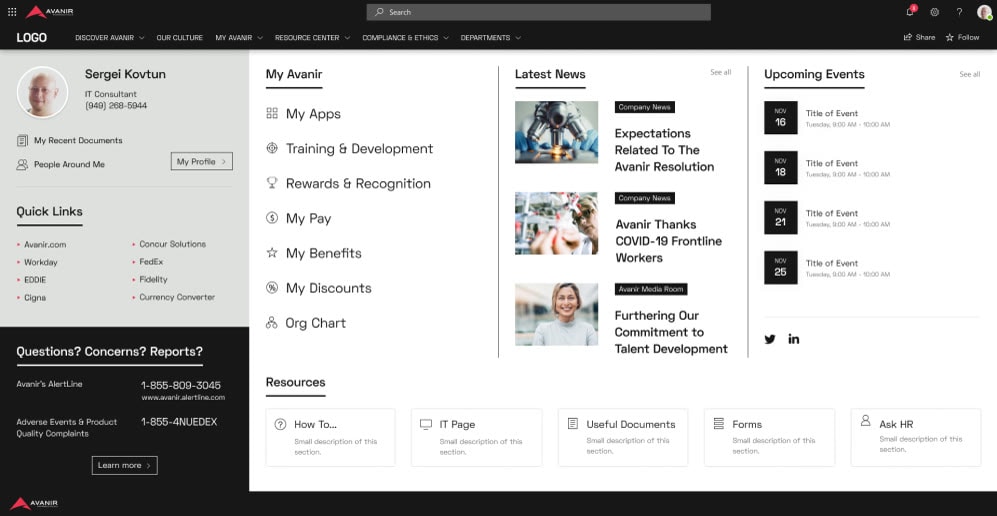
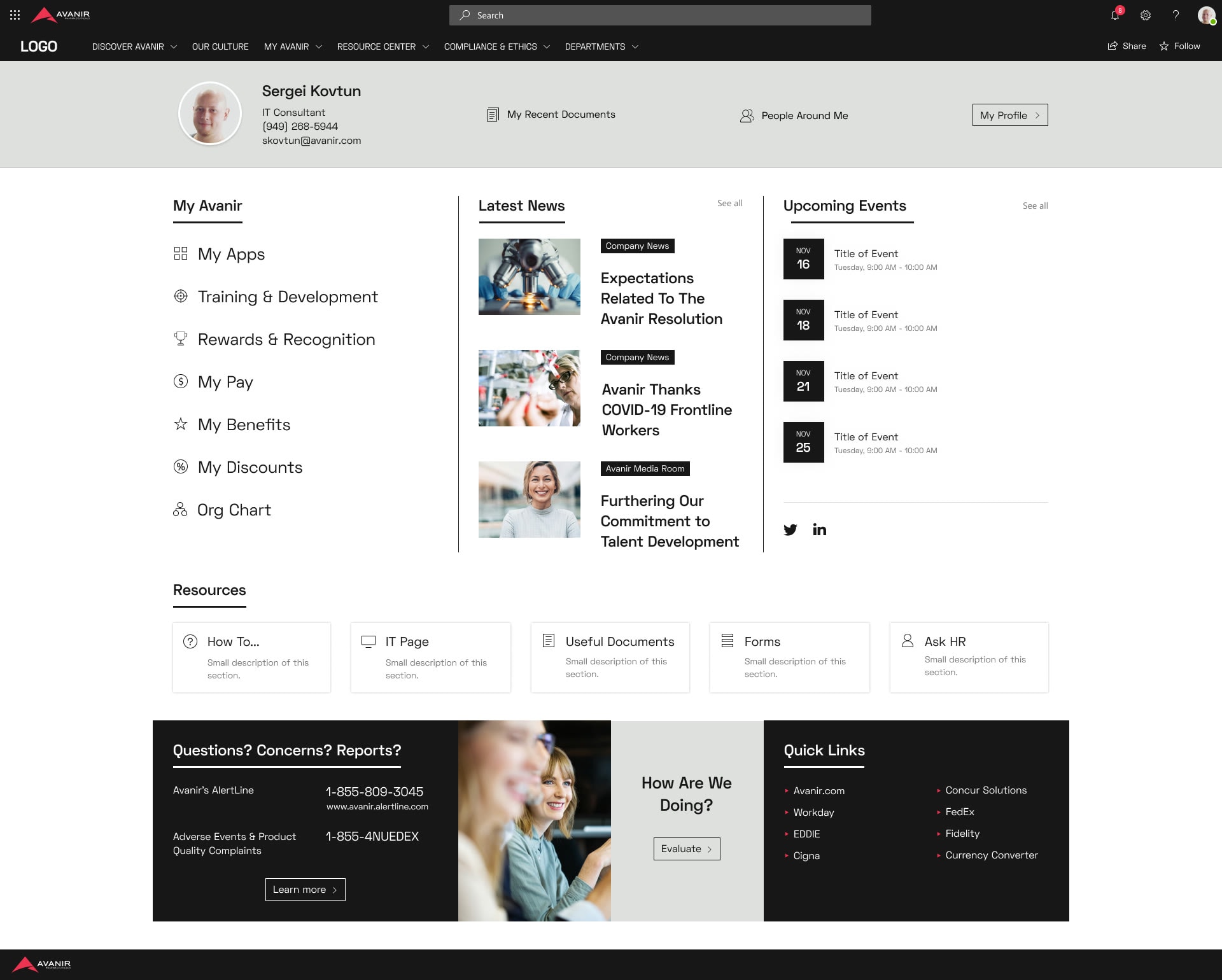
Employee priorities, brand rules.
Employee research defined what needed to be prominent. The agency set the visual constraints. I used both to shape the final direction, and worked through the focus group notes one by one.
- •Social feeds and the second row of banners came out.
- •Personal tools, Resources and News & Events each got a column on the first screen.
- •The personal section gained My Recent Documents and People Around Me, a list of the colleagues each employee works with.
- •Each section got a See all link, and each news item its own thumbnail.
The Campus
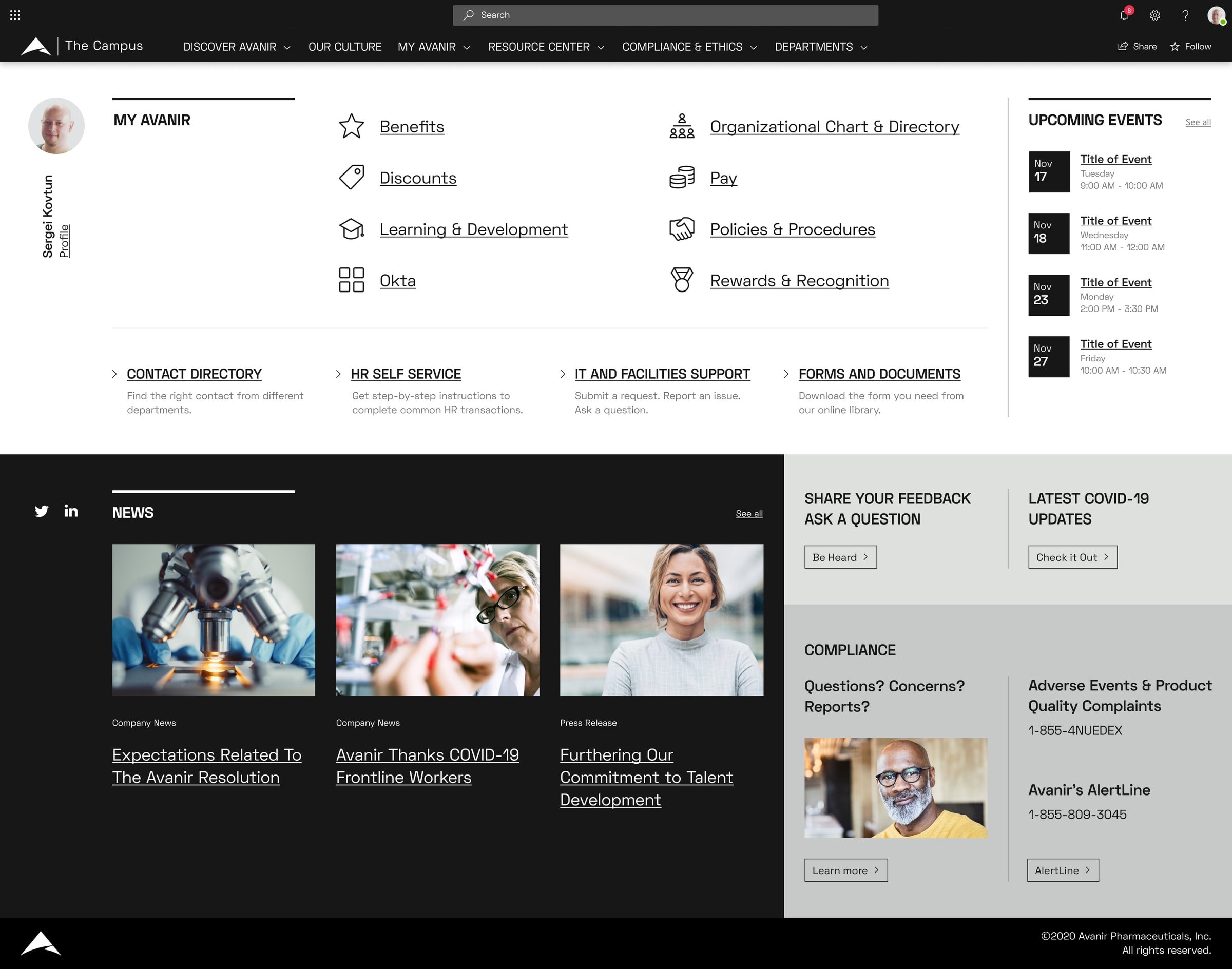
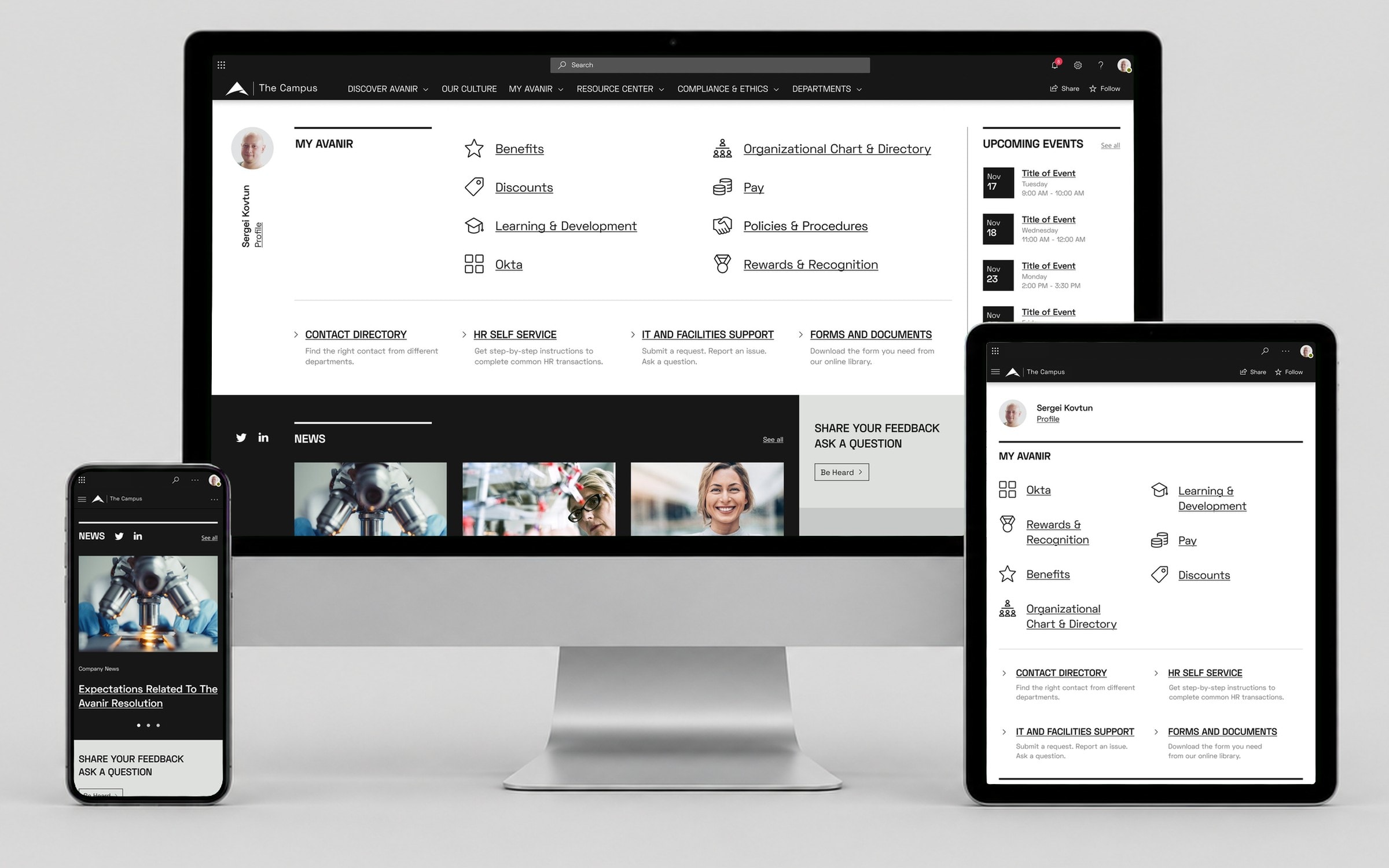
The portal that shipped.
The homepage keeps that structure: profile, My Avanir links, four service entry points, upcoming events, news, and a compliance block with the AlertLine numbers. The same black and white system carries into every section.
Beyond the homepage
One system for every page.
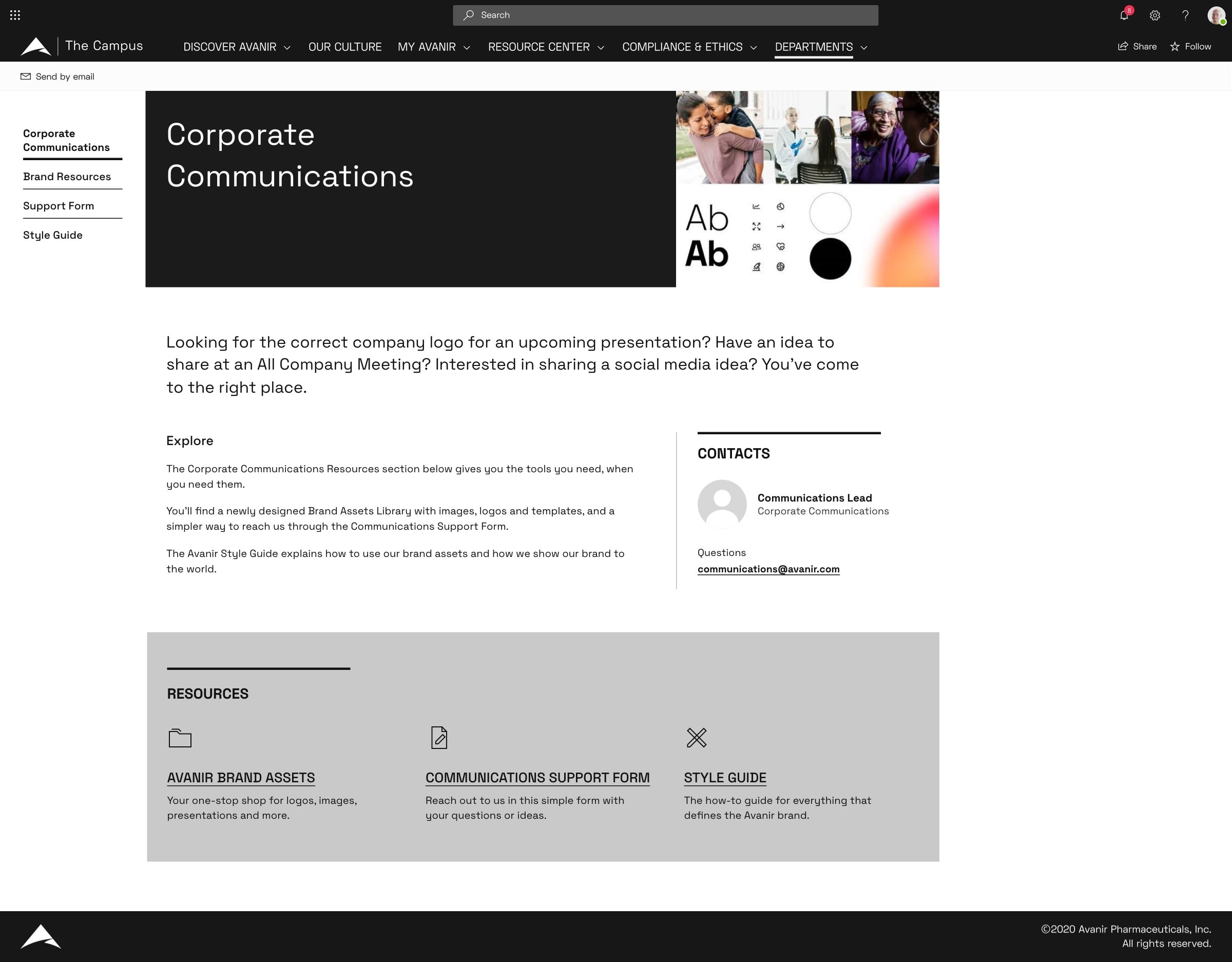
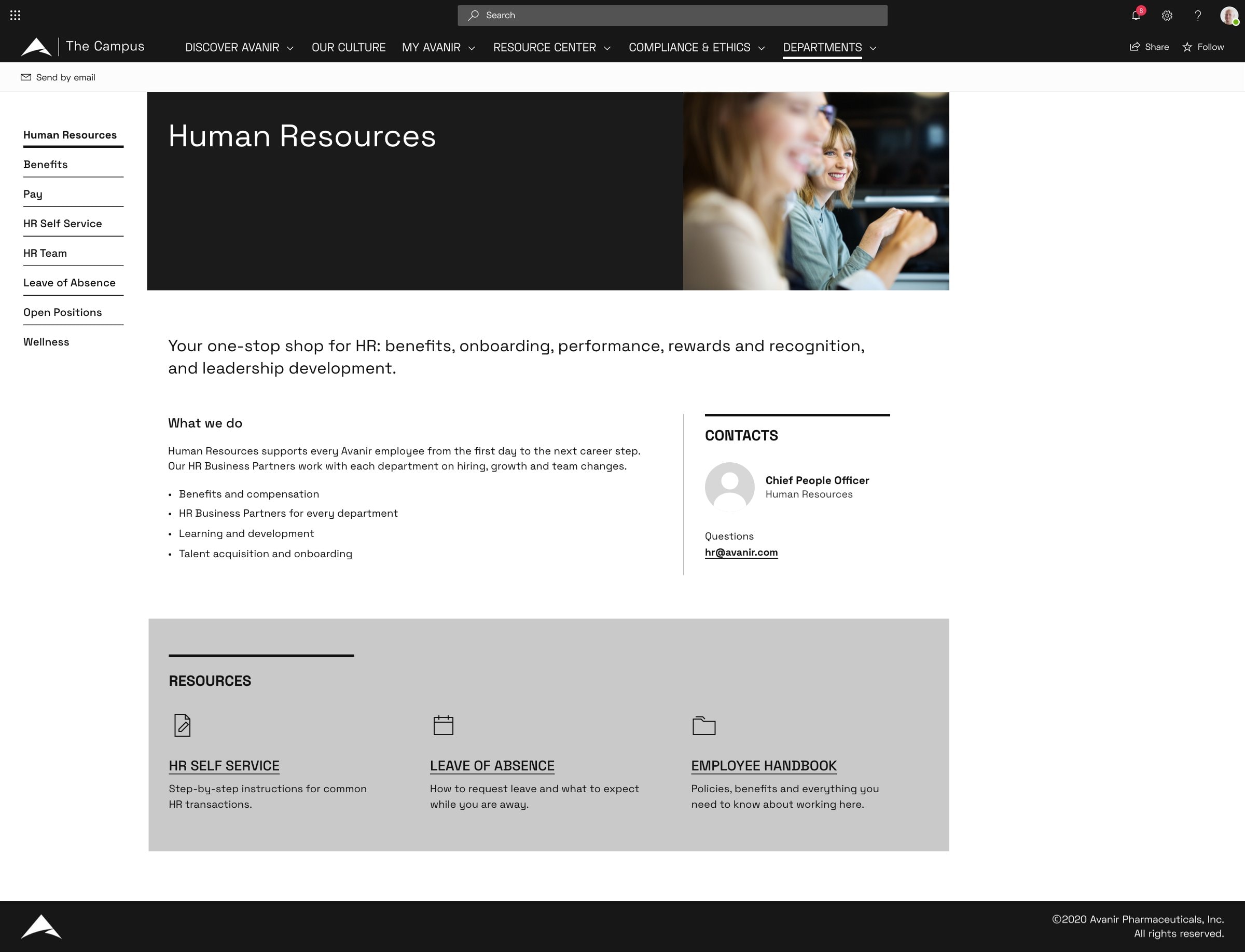
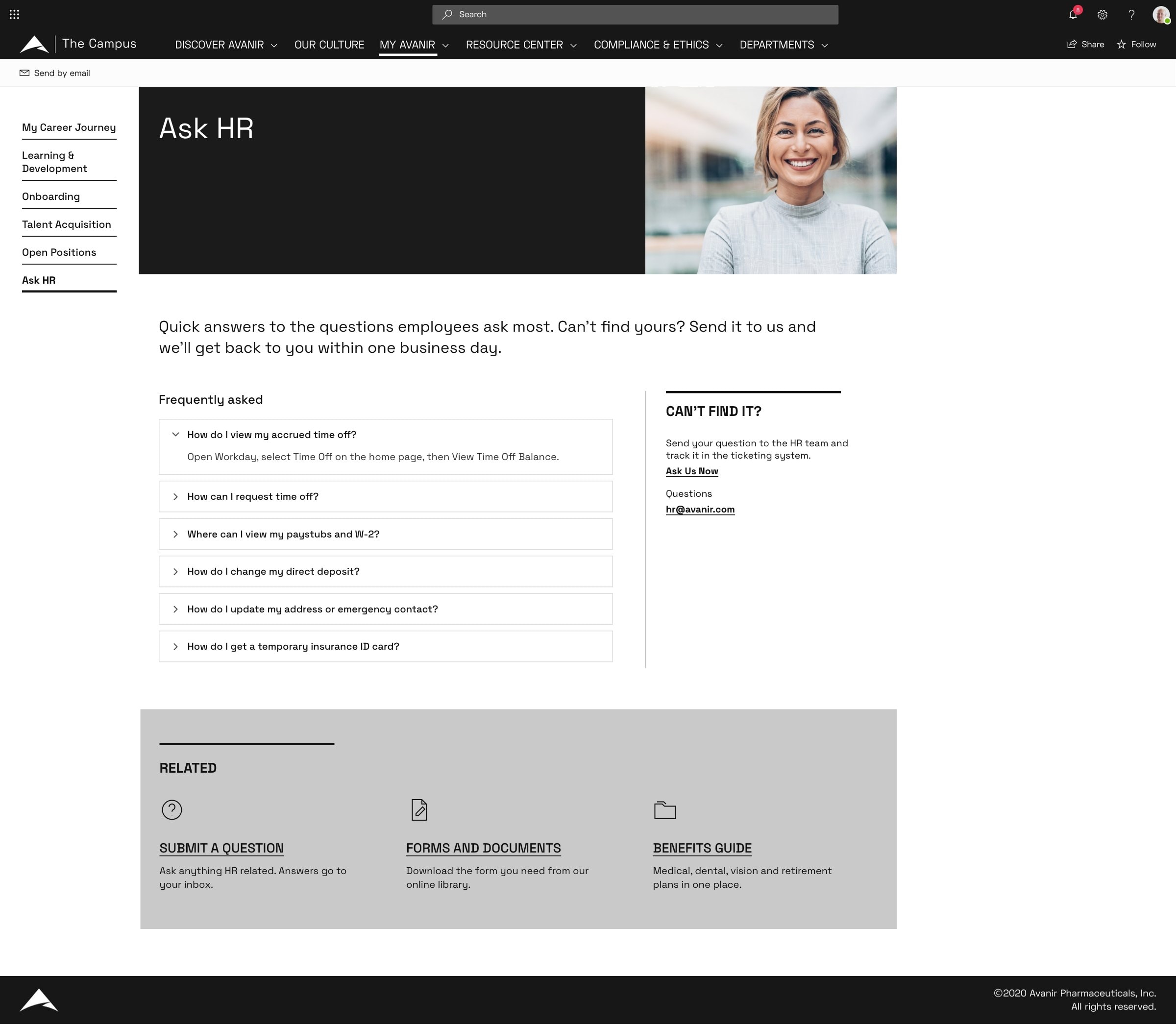
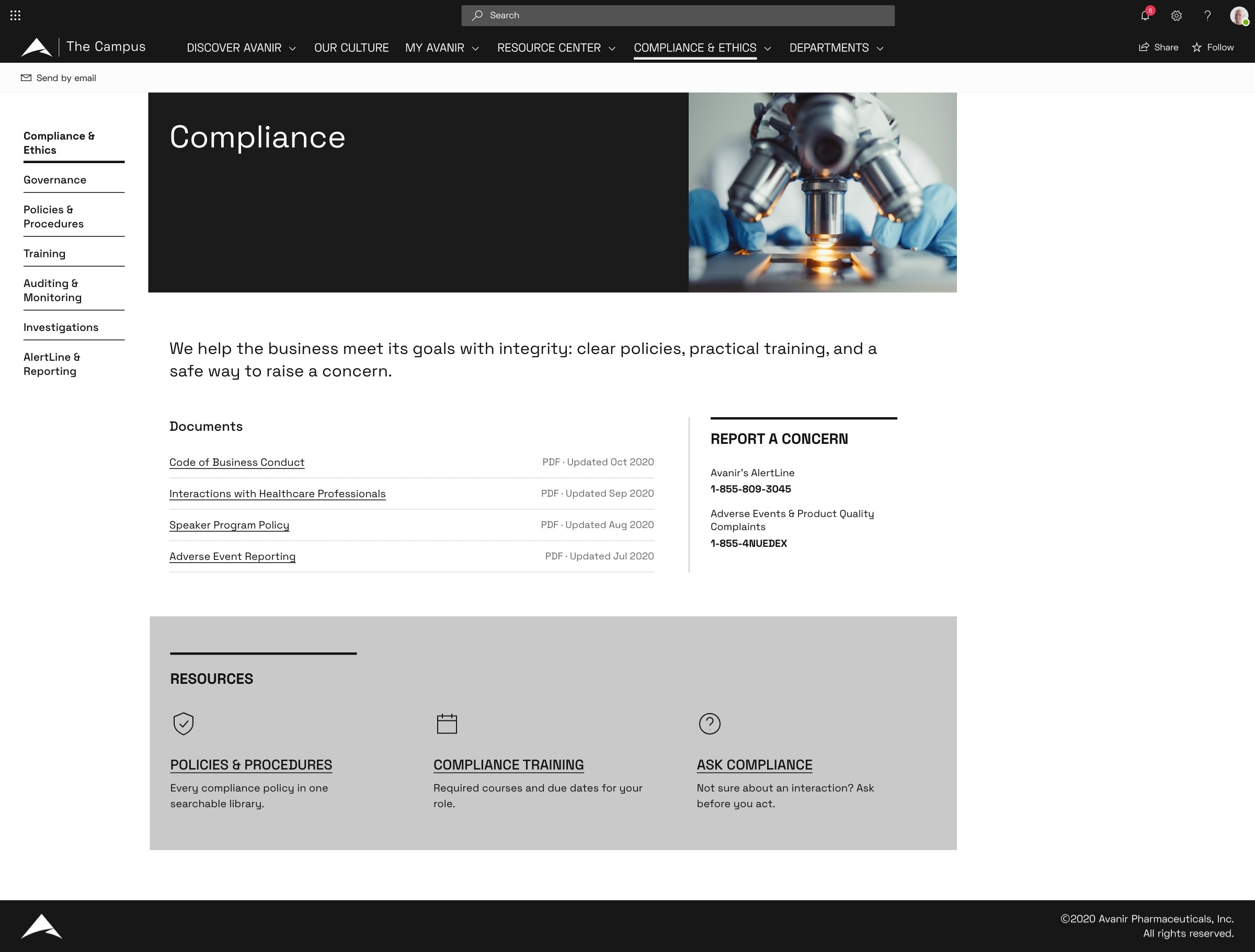
The redesign covered the whole portal, not just its front door. Every section page uses one template: section navigation, a title banner, an intro, contacts and a block of resources.
Impact
- •21% increase in portal users in the first month after launch
- •Common employee tasks moved to the first screen
- •One reusable IA model replaced the tile-by-tile structure
- •A visual language aligned with Avanir's brand system
Reflection
"The hard part was separating structure from visual expression. Employee research told me what needed to be prominent, and the agency defined the visual constraints. Treating those as two different problems let me bring both into one coherent design."

